H
HomeHQ
The calm home dashboard

Run your home without the group-text chaos.

One calm view for your family's calendar, chores, and meals — built on Google Calendar.

Coming soon
See how it works
Set up in 5 minutes  ·  Works with Google Calendar  ·  No hardware
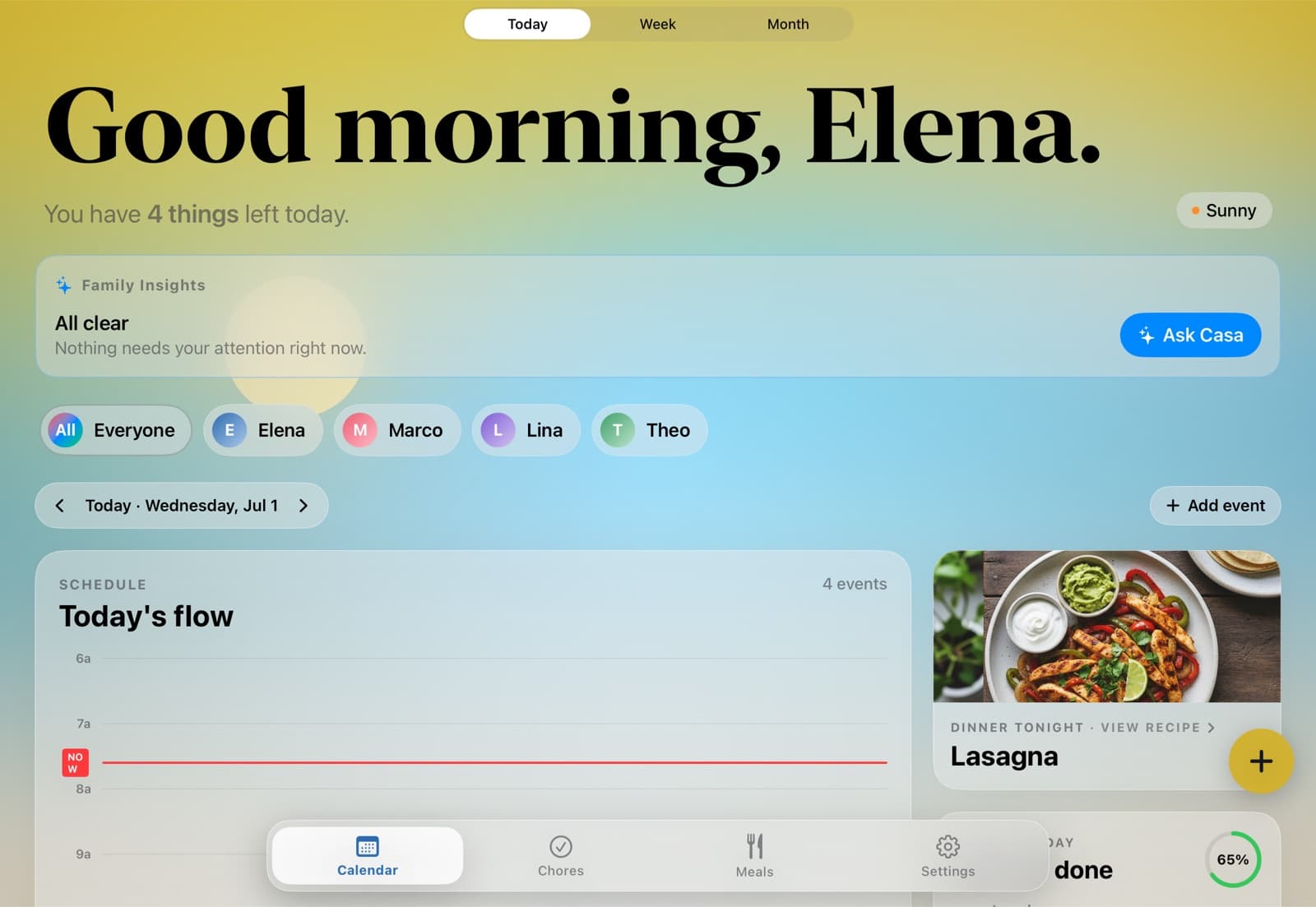
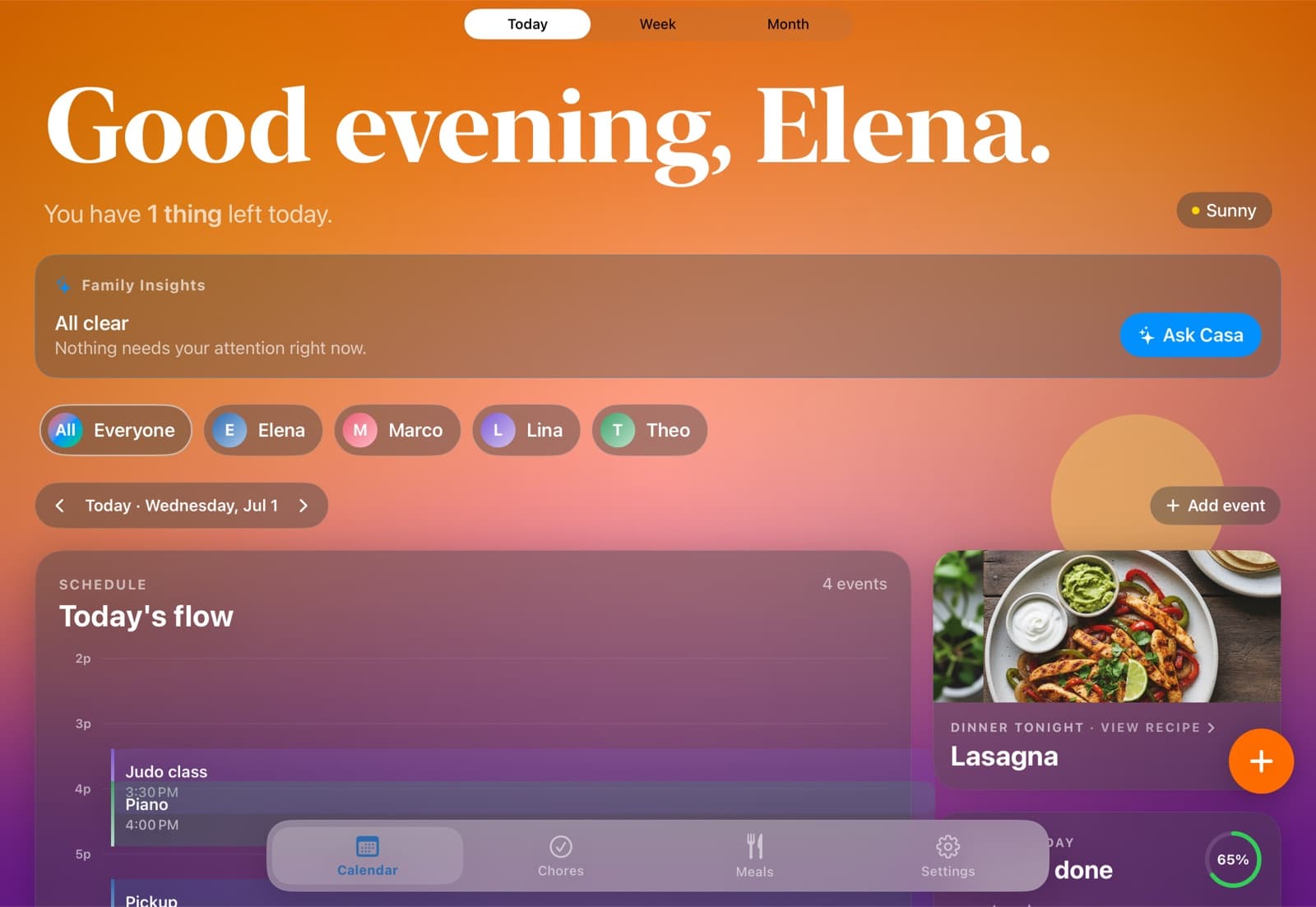
HomeHQ on a kitchen iPad — today's schedule, chores, and tonight's dinner
Before & after

The week, before and after HomeHQ.

Before HomeHQ
  • Practices and appointments that live in one parent's head.
  • Double-booked Saturdays nobody saw coming.
  • "Whose turn is it?" — the same chore argument every week.
  • The 5 o'clock "what's for dinner?" scramble, again.
  • A group chat that's really the family operating system.
With HomeHQ
  • One shared calendar everyone can see — on their phone and the kitchen iPad.
  • Color-coded per person, so a glance tells you whose day is busy.
  • Chores assigned and visible, with points and a weekly recap.
  • Dinner decided once, on Sunday, with the week's meals planned.
  • A calmer week — because the plan lives in one place, not your head.
Built on Google Calendar

One calendar. Everyone sees it. Anywhere.

HomeHQ runs on the Google Calendar your family already uses. Connect it once and everything syncs two-way — so the kitchen iPad, every iPhone, the web, and even an Android phone all show the same plan. Nobody gets left out, and nobody has to switch.

  • Two-way Google Calendar & Tasks sync — changes show up everywhere.
  • Color-coded per person, automatically.
  • Add an event on your phone; the kitchen display updates in seconds.
  • Visible on the web and Android, because it's your real Google calendar.
The HomeHQ app runs on iPhone and iPad. Because the calendar itself lives in Google, the rest of the family can read and add to it from any device.
One source of truth
Add "Lina — judo, Wed 3:30" once. It's on every screen in the house.
Synced via Google Calendar
Kitchen iPad · Mom's iPhone · Dad's Android · the web — all updated
Features

Everything your household runs on, gently organized.

Shared family calendar

Today, Week, and Month at a glance. Color-coded per person. Drag to reschedule.

Chore rotation

Weekly chores rotate fairly between everyone. Kids check off; you don't nag.

Meals & groceries

Plan dinner from your favorite recipes. Groceries auto-add to your list.

Living dashboard

A sky that matches the time of day, weather that matches outside.

Per-member views

Each kid sees their own schedule and chores. Parents see everything.

Works with your devices

iPad on the wall, iPhone in your pocket. Two-way Google Calendar sync keeps the web and Android in the loop too.

What the alternatives cost

$12 a month billed annually, on the iPad you already own.

HomeHQ runs on the iPad and iPhone already in your home, so there's no display to buy — just the subscription. Here's how that compares over three years to the dedicated screens.

HomeHQ
$12/mo
iPad & iPhone · billed annually
Or $14.99/mo monthly. No hardware, everything included.
$299+
+ $79/yr Plus
Dedicated 10" or 15" touchscreen. Most features behind the subscription.
$699
+ $9/mo
Premium touchscreen display. AI features behind the subscription.
$39.99/yr
App, free tier with ads
30-day calendar limit on the free tier since May 2024.
Prices verified May 2026. See the full breakdown on our pricing page.
Pricing

One plan. Your whole family.

Family Pro
from$12/month
$143.99/yr billed annually (Save 20%), or $14.99/month month-to-month. Cancel anytime.
Your whole household
Unlimited calendars & lists
iPad & iPhone apps + kitchen display mode
Two-way Google Calendar & Tasks sync
Chores, meal planning & weekly recap
14-day free trial
Coming soon
Questions

Frequently asked.

HomeHQ is built for families specifically — one shared calendar, chores, and meals in one place, color-coded per person, on the iPad in your kitchen and every phone. Google Calendar is fine for two adults sharing events but doesn't handle chores, meal planning, or per-person kid views. If you're weighing dedicated displays like Skylight or Hearth, the full comparison lives on our digital family calendar guide.

No. The HomeHQ app runs on iPhone and iPad, but the family calendar itself lives in Google Calendar — so everyone can see it and add to it from the web or an Android phone too. Nobody in the house gets left out, even on a different platform.

No. Connect the Google Calendar you already use — or create a new shared one in a couple of taps. HomeHQ keeps it in two-way sync, so your existing events just appear, color-coded per person. Nothing to migrate.

Only if you let them. Per-member views show each kid only what's relevant to them — their schedule and their chores, not your work day.

$12/month billed annually (or $14.99 month-to-month) for your whole household, with a free trial to start. One subscription covers everyone in the family and every feature — calendar, chores, and meals. No tiers, no hardware to buy.

Google Calendar is a calendar. HomeHQ adds the parts families actually run on: chores with points and a weekly recap, meal planning, per-person kid views, and an always-on kitchen display — all on top of the Google calendar you already have.

Bring the calm home.

14 days free. Then $12/month billed annually, or $14.99 monthly. Your whole household, on every device you already own.

Coming soon