H
HomeHQ
Family calendar display

Turn the iPad you own into a family calendar display.

A family calendar display is an always-on kitchen screen showing everyone's schedule at a glance. You don't need to buy a $300–$700 one — mount an iPad you already have, run HomeHQ, and you've got the same thing for the price of a stand.

Coming soon
iPad · iPhone · Built on Google Calendar · 14-day free trial
T
Tej Tandon · Founder, HomeHQ
Building HomeHQ from Vancouver — bootstrapped, no investors. I write these guides from running my own family on the same tools.
Verified May 2026
Built on the Google Calendar your family already uses
The short answer

You probably already own the screen.

A family calendar display (or family digital calendar display) is an always-on screen — almost always in the kitchen — that shows the whole household's week at a glance, color-coded per person, so anyone can read it without unlocking a phone.

Companies like Skylight and Hearth sell a dedicated touchscreen for $299–$699. But the screen is the easy part — you likely already have one. Mount an iPad, run a family calendar display app like HomeHQ in always-on mode, and you get the same result for the price of a stand. Here's how, plus when buying the hardware actually makes sense.

The kitchen iPad, all day

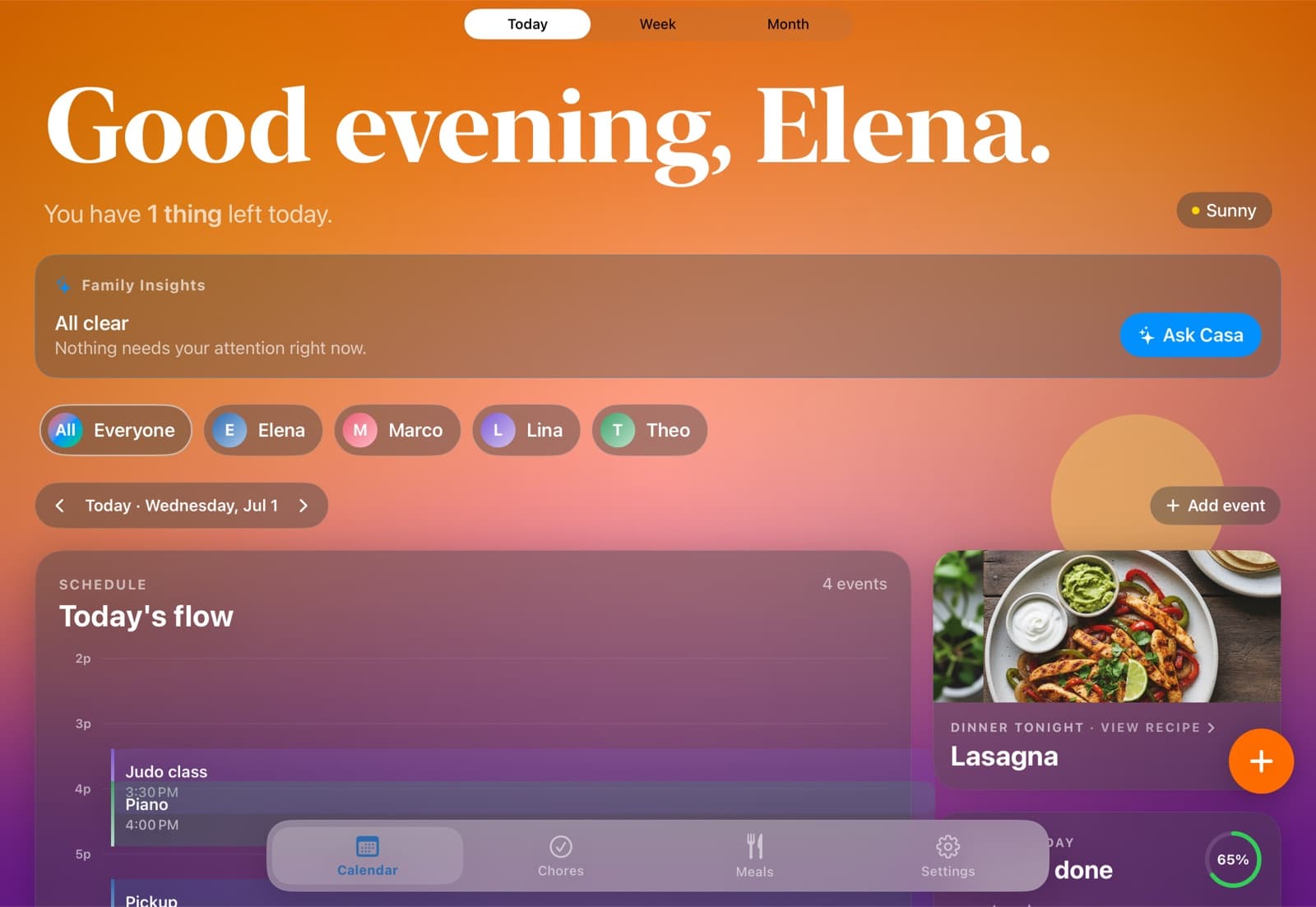
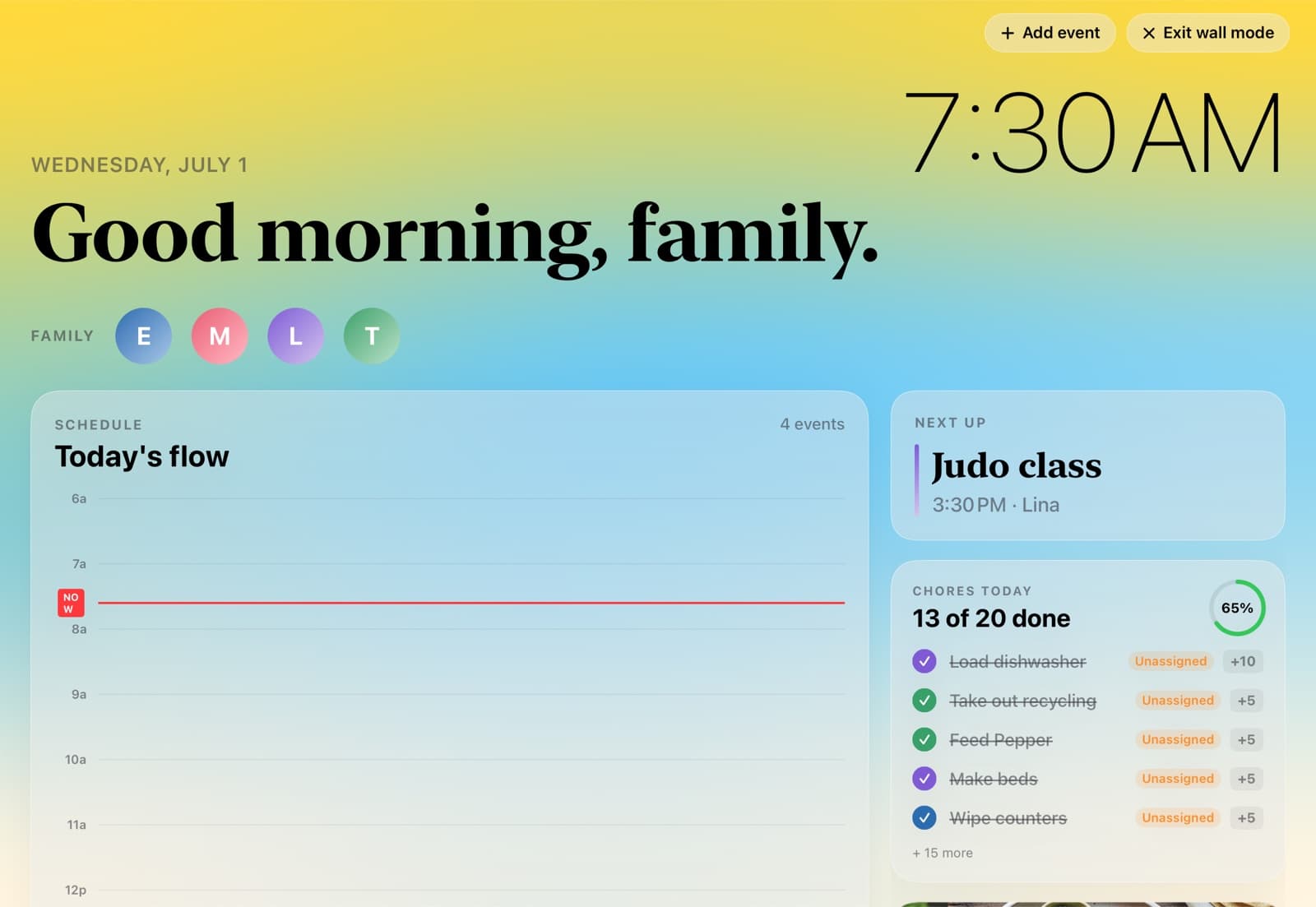
An always-on display that changes with the day.

HomeHQ's display mode is warm and gentle in the morning, bright at midday, and fades to a calm dusk in the evening. Schedule, family, and chores stay legible the whole time.
Three ways to mount it

Counter, wall, or fridge.

None of these cost more than $120 in hardware — versus $300–$700 for a dedicated display.

Easiest

Counter

A weighted stand on the kitchen counter near where everyone passes. Five minutes, no drilling.

$25–$60 stand
Most permanent

Wall

A flush wall mount with the charging cable run behind a cabinet. The closest analog to a $300–$700 dedicated family calendar display.

$30–$120 mount
Renter-friendly

Fridge

A magnetic fridge mount with a USB-C charger snaking up. No drilling, no commitment.

$30–$50 magnetic mount
Tip: set brightness to about 50% and keep it plugged in — the panel will last for years.
The options compared

iPad display vs buying a dedicated screen.

Same always-on family display, four ways to get there. Prices verified May 2026.

FeatureiPad + HomeHQSkylight CalendarHearth DisplaySmart TV + Mango
Screen you useiPad you already ownBundled 10"/15" touchscreenBundled 15.6" touchscreenYour TV / Fire TV
Up-front hardware$0 (or ~$130 used iPad)$299–$379$699$0–$40
Ongoing cost$12/mo (annual)$79/yr Plus$9/mo MembershipFree–$8/mo
Always-on display mode
Color-coded per person
Chores + meal planningIncludedPlus onlyMembership onlyLimited
Two-way Google CalendarPremium
Also on every phoneCompanion appCompanion appCompanion app
A dedicated display ships ready-to-mount; an iPad you own gets you there for the price of a stand.
Built on Google Calendar

One calendar. Everyone sees it. Anywhere.

HomeHQ runs on the Google Calendar your family already uses. Connect it once and everything syncs two-way — so the kitchen iPad, every iPhone, the web, and even an Android phone all show the same plan. Nobody gets left out, and nobody has to switch.

  • Two-way Google Calendar & Tasks sync — changes show up everywhere.
  • Color-coded per person, automatically.
  • Add an event on your phone; the kitchen display updates in seconds.
  • Visible on the web and Android, because it's your real Google calendar.
The HomeHQ app runs on iPhone and iPad. Because the calendar itself lives in Google, the rest of the family can read and add to it from any device.
One source of truth
Add "Lina — judo, Wed 3:30" once. It's on every screen in the house.
Synced via Google Calendar
Kitchen iPad · Mom's iPhone · Dad's Android · the web — all updated
Make the iPad in your kitchen the family display.
HomeHQ runs it in always-on mode, built on your Google Calendar. $12/month billed annually, no hardware to buy.
Coming soon
Deciding which app or display to actually buy? See our best digital family calendar buyer's guide → or compare the best family calendar apps →
Common questions

Family calendar display questions.

A family calendar display is an always-on screen — usually mounted in the kitchen — that shows the whole household's schedule at a glance, color-coded per person. Some are dedicated touchscreens you buy (Skylight, Hearth); others are an app running on a device you already own, like an iPad, a smart TV, or a Fire TV Stick. The job is the same: one shared screen everyone can read without unlocking a phone.

Yes — it's the cheapest way to get one. Mount any iPad from 2018 onward in the kitchen, run HomeHQ in always-on display mode, and you have the same always-on, color-coded family calendar a $300–$700 dedicated display gives you. Counter stand, wall mount, or magnetic fridge mount all work and cost under $120.

If you don't own an iPad and don't want to source one, a dedicated display like Skylight ($299+) is a reasonable, no-setup buy. If you already have an iPad, you're paying $300–$700 for a screen you effectively already own — mounting yours gets you the same result for the price of a stand.

For an iPad, HomeHQ is built specifically for the kitchen-display use case: an always-on mode that changes with the time of day, per-person color-coding, chores, and meal planning, all built on the Google Calendar your family already uses. Mango Display is the best pick if your screen is a smart TV or Fire TV Stick instead of an iPad.

Yes. Because HomeHQ is built on Google Calendar, the same shared calendar shows up on every phone, the web, and Android — not just the kitchen iPad. The display is the shared surface; everyone's phone is the personal one.

iPads are fine left on for years. Set brightness to around 50%, enable HomeHQ's display mode (which gently shifts the scene through the day), and keep it plugged in. LCD iPads don't suffer OLED-style burn-in, and the changing scene keeps any single element from sitting static.

Bring the calm home.

14 days free. Then $12/month billed annually, or $14.99 monthly. Your whole household, on every device you already own.

Coming soon